How to save a TikTok video in its original quality
-
Take the link from TikTok
Share, then Copy link in the app. From a computer, copy the address of the video page.

-
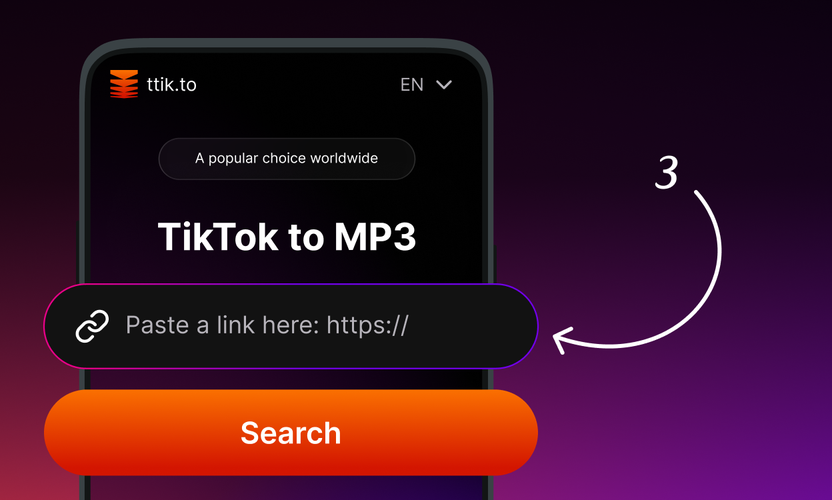
Paste it above
ttik reads what TikTok serves for that clip and shows the resolutions available for it.
-
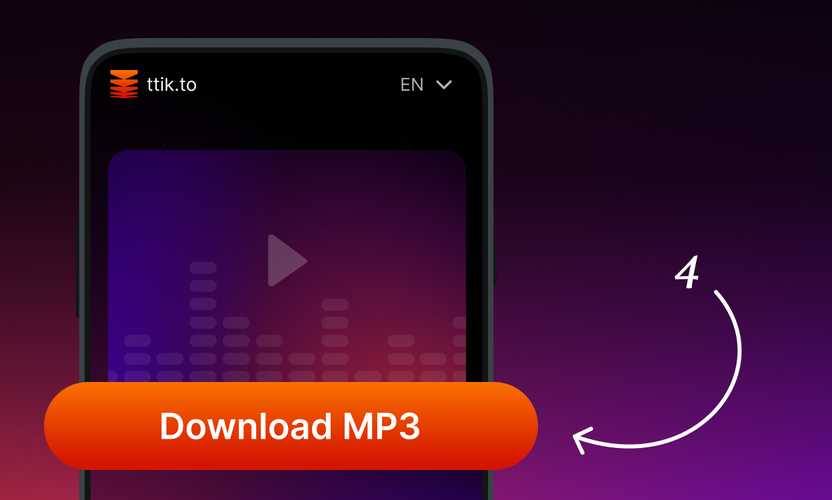
Pick the resolution and save
Usually that is 720p or 1080p, depending on the upload. The file is handed over as is, without a second round of compression.


-
ttik instead of TikTokio

People usually come to TikTokio to save a TikTok video in its original HD quality.
ttik works right in the browser: paste the link to a TikTok video, wait a couple of seconds and save the file to your phone or computer. No registration, no app to install and no limit on how many videos you download — the file keeps its original quality, without the TikTok watermark.
ttik is an independent service. It is not affiliated with TikTokio, it is not its official site, mirror or partner, and it does not act on behalf of its owners. The name is mentioned only to explain what this page does; all trademarks belong to their respective owners.
-
What HD actually means for a downloaded TikTok

Downloaders promise HD, but the honest version is narrower: a video can only be saved in the quality that TikTok itself serves. TikTok re-encodes every upload, so the file behind a clip is usually 720p or 1080p depending on what the author shot, how they exported it and which network the app used at upload time. ttik takes that file as it is — it does not re-encode, does not compress a second time and does not upscale anything, because upscaling would only add weight, not detail.
What you do get is the clean version: no watermark burned into the corner, no username crawling across the frame, and the original bitrate instead of a screen recording. That matters if the clip is going into an editor — CapCut, Premiere, DaVinci Resolve, iMovie — where a re-encoded copy falls apart on the first colour pass. If a saved file looks softer than the video in the app, that is the source upload, not the download.
-
What ttik saves, and what it will not do

Every public TikTok video works, and the file arrives as MP4 in the resolution TikTok serves — usually 720p or 1080p. It plays natively on iPhone, Android, Windows, macOS, Linux and ChromeOS, opens in VLC and QuickTime without a plugin and imports into any editor. Downloads are not counted and not throttled — there is no daily quota to run out of.
What ttik will not do: private videos and posts from closed accounts stay out of reach, because the page only reads what TikTok shows publicly; there is no way to download someone's whole profile in one go; and nothing here strips the rights of the person who filmed the video. Saving a clip for yourself — offline viewing, a private archive, reference material for an edit — is one thing. Re-uploading it under your own name is another, and that part is on you: credit the author with their @username and link back to the original when you share a downloaded video anywhere public.


What this page does instead of TikTokio
The quality ceiling is set by the upload, not by the downloader. Here you get exactly the file TikTok has.
-

No re-encoding
The clip is not converted a second time, so colour and detail survive the trip into CapCut, Premiere or Resolve.
-

No limit on how many
Save one clip or forty in a row. There is no daily cap and no captcha in the middle.
-

No sign-up
No account, no email, no history of the links you paste. The download goes straight to your device.
-

Phone and desktop alike
On iPhone the file lands in Files or Photos, on Android in Downloads, on a computer wherever the browser saves.
About ttik
ttik (ttik.to) is a free browser-based tool for downloading TikTok videos. Paste any public TikTok URL, tap Download, and the video saves directly to your device — no watermark, no login, no app installation, no tracking.
Built and maintained by a small team of developers focused on browser-based media utilities. We believe public content should remain accessible without sacrificing user privacy, so ttik runs entirely client-side: no accounts, no logged sessions, no data collection.
All downloads keep the original TikTok resolution and aspect ratio, with the TikTok watermark removed. Whether you're archiving your own posts, saving inspiration for a video edit, or keeping favorite clips for offline viewing, ttik makes it quick and effortless. If you have any questions or feedback, contact us at [email protected].
Frequently Asked Questions
-
Is this the official TikTokio site?
No. This is ttik.to, an independent TikTok downloader with no connection to TikTokio or its owners. The page exists so that people looking for TikTokio can download a TikTok video right here.
-
How is ttik different from TikTokio?
ttik runs entirely in the browser and asks for nothing: no login, no app, no limits. You paste a TikTok link, the file is ready in a couple of seconds and it is saved without a watermark, in the original quality.
-
Is ttik free?
Yes. Downloading TikTok videos through ttik is free: no subscription, no registration and no limit on the number of videos.
-
Will I get a 1080p file?
If TikTok serves 1080p for that clip, yes. The ceiling is set by the upload: TikTok re-encodes every video, so a clip shot on an older phone or exported at a low bitrate will not become sharper by being downloaded.
-
Why is my file smaller than I expected?
Because it is the file TikTok itself delivers, not a screen recording. A shorter clip with little motion compresses well, and a small MP4 at the source resolution is normal rather than a sign of lost quality.
-
Does it work on an iPhone without an app?
Yes. Open the page in Safari, paste the link, tap download and the video lands in Files or Photos. There is nothing to install on Android or desktop either.
-
Is there a daily limit?
No. Downloads are not counted and not throttled, and no account is involved, so there is no quota attached to you.
-
Can I download a private video?
No. ttik only reads what TikTok shows publicly; posts from closed accounts cannot be saved.
Ready to download TikTok videos?
ttik downloads public TikTok videos in three steps: copy the share link from TikTok, paste it at ttik.to, tap Download. The video saves at original resolution with no watermark, no login, and no app install. Free for personal use; check copyright before sharing.
Download Video